
Why can’t you trust your forecasts? Why are sales and finance working from different numbers, and why does everything still end up in a spreadsheet? In most cases the answer is the same: HubSpot and your ERP don’t talk to each other. HubSpot ERP integration connects the CRM your sales and marketing teams use with the ERP that runs stock, orders and finance, so customers, orders, products, stock levels and invoices move between the two automatically. Everyone, from the sales rep to the managing director, then works from one up-to-date picture.
This guide covers the problems integration solves, the ways to do it, the data that should flow, and how Cogent connects HubSpot to OrderWise and other systems with OW Sync.
What problems does HubSpot ERP integration solve?
HubSpot ERP integration solves the problems that come from sales and operations running on separate data: reps who can’t see stock or order status, orders re-keyed by hand, slow answers to customers, forecasts nobody trusts, a slow order-to-cash cycle and marketing that can’t see what customers buy. Connecting the two systems gives each team the other’s data without chasing.
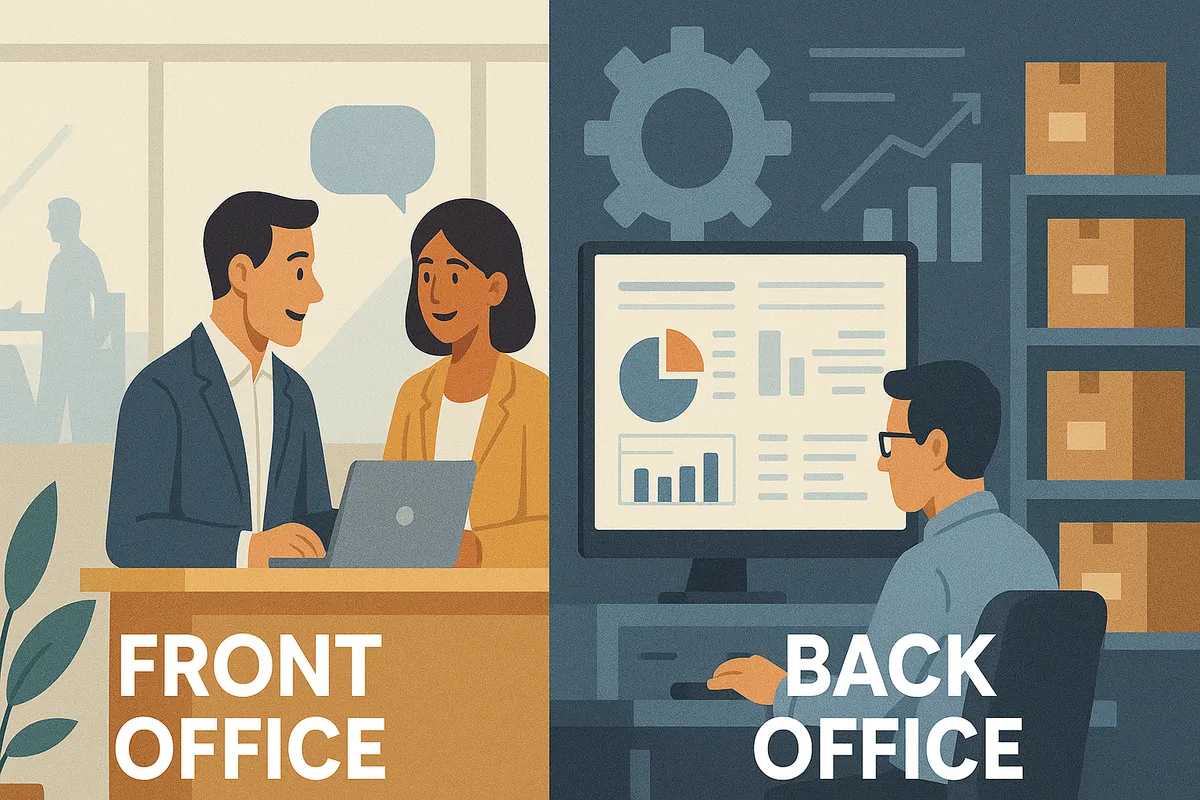
In many businesses, CRM and ERP live in separate worlds. Sales and marketing use HubSpot, operations and finance rely on the ERP, and the two rarely talk. The result is fragmented data, manual errors, frustrated teams and leadership working without a clear view. If these sound familiar, our guide to the signs your CRM and ERP aren’t communicating goes into each one.
| Problem | What happens without integration | What integration does |
|---|---|---|
| Disconnected front and back-office data | Sales and service teams in HubSpot can’t see inventory, order status or shipment tracking held in the ERP | Product availability, order status and fulfilment data sync into HubSpot, so reps promise realistic delivery dates without chasing the warehouse or finance |
| Manual data entry and duplicate records | Orders, payment status and customer details are re-keyed between systems, causing errors | Orders, invoices, payment status and customer data sync automatically, cutting admin and mistakes such as wrong shipments or mis-invoiced orders |
| Slow answers to customers | Teams can’t quickly answer “Where’s my order?”, “What’s my account balance?” or “When can I expect delivery?” | Sales and support see ERP data inside HubSpot and respond faster |
| Inaccurate forecasting and planning | Pipeline and operational data are never combined, so revenue, production and stock forecasts are unreliable | Dashboards combine pipeline, confirmed orders and real-time stock levels for better demand and capacity planning |
| Slow order-to-cash cycle | Sales orders are entered into the ERP by hand, and invoicing and payment tracking happen in separate systems | Orders flow from HubSpot into the ERP and payment updates sync back, speeding up fulfilment and reducing days sales outstanding (DSO) |
| Limited personalisation and upselling | Marketing can’t see purchase history or customer lifecycle data | HubSpot contact records are enriched with transactional data, such as products purchased and average order value, for targeted cross-sell and upsell campaigns |
What are the benefits for wholesale, distribution and manufacturing businesses?
For wholesale, distribution and manufacturing businesses, the benefits are faster order processing and invoicing, better cash flow, stronger customer relationships, reporting that leadership can rely on, and room to grow without adding admin headcount. These sectors carry high order volumes, complex supply chains and tight margins, so the gap between sales and operations costs them more.
- Greater operational efficiency: less internal friction, so teams spend their time on revenue-generating work rather than chasing data.
- Improved cash flow: faster invoicing and order processing tighten the cash cycle.
- Stronger customer loyalty: better visibility of orders and proactive updates build trust with customers.
- Better strategic reporting: sales performance, production metrics and financial health in one place, so leadership can make timely decisions.
- Scalability: automation reduces reliance on manual processes and extra headcount as order volumes grow.
In practice, this looks like:
- A sales director sees live stock levels in HubSpot and avoids promising a £200k order the warehouse can’t deliver.
- A managing director reviews a pipeline report that finally matches the finance numbers, because both pull from the same data.
- A business development team finds a construction project in HubSpot, enriches it automatically and starts outreach the same day.
What are the ways to integrate HubSpot with an ERP?
There are four main ways to integrate HubSpot with an ERP: a native or marketplace connector, a custom API integration, a middleware (iPaaS) platform, or a specialist integration partner. They trade off ease of setup, flexibility, technical effort and long-term support, so the right choice depends on how complex your processes and data are.
| Option | How it works | Strengths | Watch out for |
|---|---|---|---|
| Native or marketplace connectors | Pre-built integrations from HubSpot’s App Marketplace for ERPs such as NetSuite, Microsoft Dynamics 365 and SAP | Usually easy to set up; handle basic data syncing | May be limited with custom fields and specific workflow automations |
| Custom API integrations | Built using HubSpot’s APIs and your ERP’s APIs | Maximum flexibility for complex requirements | Needs more technical expertise, development time and ongoing maintenance |
| Middleware platforms (iPaaS) | Tools such as Zapier, Workato or Dell Boomi act as a bridge between the systems | Low-code or no-code syncing and automation | Sophisticated use cases may still need technical configuration |
| Integration partners | A certified HubSpot solutions partner or ERP consultant builds and maintains the integration around your processes | Deep expertise and long-term support | Potentially higher upfront cost |
Whichever route you take, connecting the systems is only half the job. If the data going into the sync is messy, duplicates and mismatches will follow it into HubSpot, which is why clean data matters as much as the sync itself.
What data should sync between HubSpot and your ERP?
The data that should sync is the data both teams share: customers and contacts, products and pricing, quotes and orders, stock levels, invoices and payment status. Map it first, decide which system owns each field, then automate. Typical examples for a HubSpot and OrderWise integration are below.
- Contacts and companies: new contacts and companies created in HubSpot update the customer records in OrderWise, and vice versa.
- Sales order creation: when a deal is marked closed-won in HubSpot, an order is generated in OrderWise, cutting manual effort and speeding up delivery.
- Payment and invoice updates: payment statuses and invoices from OrderWise sync back to HubSpot, so the sales team is informed and can act quickly.
- Inventory visibility: product stock levels from OrderWise appear in HubSpot, so reps can give accurate availability when talking to customers.
How does OW Sync connect HubSpot with OrderWise and Glenigan?
OW Sync is Cogent’s own family of connectors between HubSpot and other systems. The OrderWise connector syncs customers, contacts, products, quotes and orders both ways, shows live stock and pricing in HubSpot, and feeds dashboards that combine CRM and ERP data. The Glenigan connector brings construction project data into HubSpot for prospecting.
Many of the wholesale, distribution and manufacturing businesses we work with run OrderWise to manage inventory, warehousing and supply chain operations. If you run OrderWise alongside HubSpot, you know the pain of duplication: customers, quotes, orders and product details exist in both systems but never in sync. We built OW Sync to close that gap.
OW Sync for OrderWise
- Automatic, two-way data flow: customers, contacts, products, quotes and orders sync both ways, with no manual re-keying and no missed updates.
- Sales confidence: reps see live stock levels and pricing inside HubSpot, so they quote accurately and don’t over-promise.
- Faster sales-to-cash cycle: orders from HubSpot go into OrderWise without re-entry, which speeds up fulfilment and invoicing.
- Unified reporting: HubSpot dashboards combine CRM and ERP data, so managing directors and sales directors see the full picture without juggling systems.
Every deal in HubSpot is then backed by real operational data from OrderWise. That is how forecasting moves from guesswork to confidence. For a closer look at when an OrderWise integration is worth it, read why you should integrate HubSpot and OrderWise.
OW Sync for Glenigan
For businesses in construction or infrastructure, Glenigan holds valuable project intelligence, but if it stays inside Glenigan, sales can’t act on it quickly. The Glenigan connector pulls project data straight into HubSpot. With it, your team can:
- search and filter Glenigan projects in HubSpot;
- import and enrich companies and contacts automatically;
- trigger workflows, alerts and campaigns around new opportunities.
The sales team works where they already live, in HubSpot, with the latest project intelligence. OW Sync also connects HubSpot to other systems, including Dynamics 365 Business Central, NetSuite, Sage 200, Xero and FreeAgent; see the full list on our integrations page. If you are weighing up other apps to connect, our guide to HubSpot integrations explains how to choose the ones that matter.
What should you look for in a HubSpot ERP integration partner?
Look for a partner who starts with the business problem rather than the software, brings proven connectors instead of building from scratch, leaves you able to manage changes yourself, and knows HubSpot deeply. Plenty of people can connect systems through an API. Integration done well is measured by business outcomes: forecasts, reports and customer answers your team can trust.
- Solve the problem, not the symptoms. If forecasting is broken, understand why before adding a new system. If sales are down, do the hard analysis rather than switching systems.
- Proven, configurable connectors. Faster setup, lower cost and no reinventing the wheel.
- Guidance that puts you in control. Help mapping fields and workflows, plus the tools to manage changes as the business evolves.
- HubSpot expertise. Cogent is a HubSpot Diamond Solutions Partner, founded by people who ran a distribution business on OrderWise, Sage and HubSpot.
If disconnected systems are holding you back, see how we approach integrations and OW Sync, or book a call to map out what integration could look like for your business.
Questions people also ask
Can HubSpot connect to OrderWise?
Yes. OW Sync, Cogent's OrderWise connector, syncs customers, contacts, products, quotes and orders both ways between HubSpot and OrderWise. Sales sees live stock levels and pricing inside HubSpot, closed-won deals can create orders in OrderWise, and payment and invoice updates flow back to HubSpot so reps know where each account stands.
Is a marketplace connector enough for HubSpot ERP integration?
Sometimes. HubSpot's App Marketplace has pre-built connectors for ERPs such as NetSuite, Microsoft Dynamics 365 and SAP. They are usually easy to set up and handle basic syncing, but they can be limited with custom fields and specific workflow automations. More complex requirements may need custom API work, middleware or a specialist partner.
Which system should own each piece of data?
Decide that before you build anything. Map the data both teams share, such as customers, orders, products and pricing, then agree which system owns each field. Pricing, for example, usually belongs to the ERP. Once ownership is clear, the sync can be automated without the two systems overwriting each other.
Does integrating HubSpot with an ERP fix forecasting on its own?
Not on its own. If forecasting is broken, the first job is to understand why rather than add another system. Integration helps because pipeline data in HubSpot can then sit alongside confirmed orders, stock and invoices from the ERP, but the data also needs to be clean and the process agreed.